Understanding Document Collection Challenges
Document collection can often feel like a daunting task, riddled with various challenges. Identifying these challenges is crucial for effective automation.
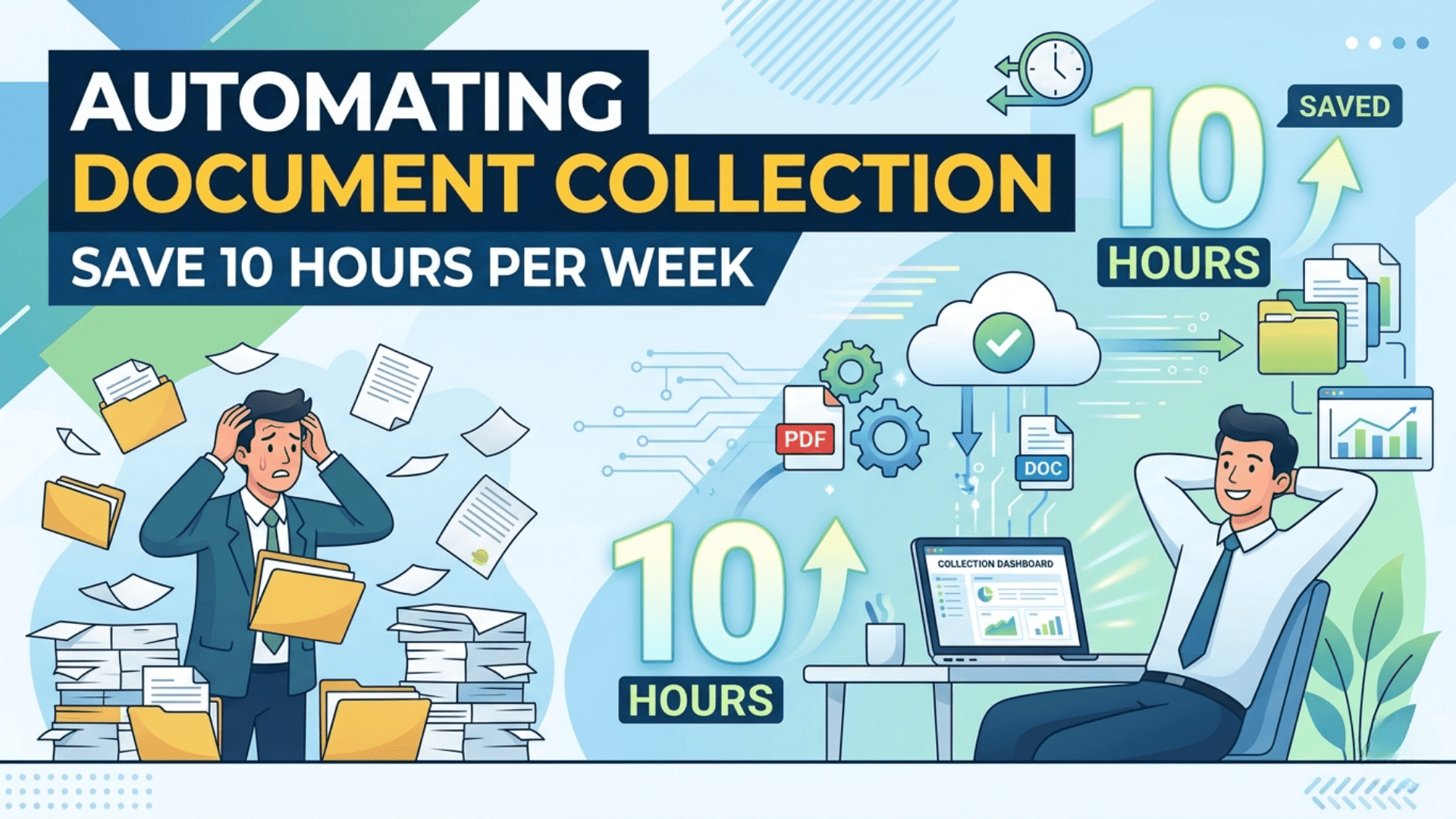
- Time Consumption: Manually gathering documents can take hours. For instance, a finance department may spend upwards of 10 hours weekly chasing down invoices.
- Inconsistency: Different team members may have varying methods of document collection, leading to discrepancies. For example, one employee might use email while another prefers a shared drive, causing confusion.
- Compliance Risks: Missing or incorrectly filed documents can result in compliance issues. A legal firm might face penalties if critical contracts are not stored accurately.
Pro Tip: Implement a standardized document request checklist to ensure everyone follows the same protocol, reducing errors and time spent.
- Communication Gaps: Lack of clear communication can stall the process. A project manager might wait days for a client’s document while other tasks pile up.
Understanding these challenges is the first step towards automating document collection, ultimately leading to significant time savings and increased productivity.
The Role of Automation in Document Management
Automation plays a pivotal role in enhancing document management efficiency. By streamlining processes, organizations can drastically reduce the time spent on manual tasks, leading to significant productivity gains.
- Efficiency Improvement: Automated systems can categorize and store documents faster than any human, ensuring that files are easily retrievable. For instance, a law firm might use automation to sort case files based on keywords, saving hours of searching.
- Error Reduction: Automated workflows minimize human error, ensuring that documents are processed accurately. A healthcare provider implementing an automated document validation system reported a 30% reduction in data entry mistakes.
- Enhanced Collaboration: Automation allows teams to access documents in real time, fostering better collaboration. Tools like cloud-based document management systems enable multiple users to work on a single document simultaneously, streamlining project workflows.
Pro Tip: Evaluate your current document management processes. Identify repetitive tasks that can be automated, such as invoice processing or client onboarding. By automating just a few key areas, you can quickly reclaim valuable hours each week.
Benefits of Automating Document Collection
Automating document collection streamlines processes and saves valuable time. Here are some notable benefits:
- Increased Efficiency: Automated systems can gather documents in seconds, reducing the manual effort required. For example, a small law firm reported saving 15 hours a week by adopting an automated document collection tool.
- Improved Accuracy: Automation minimizes human error, ensuring that all required documents are collected correctly. A financial services company noted a 30% decrease in compliance-related issues after implementing automated collection.
- Enhanced Collaboration: With documents stored in a centralized digital format, team members can access them anytime, fostering better communication. A marketing agency experienced a 50% boost in project turnaround time due to improved document sharing.
- Cost Savings: Reducing the hours spent on manual collection translates to lower labor costs. A recent study by McKinsey found that companies automating such processes can save up to 20% in operational costs.
Pro Tip: Regularly review your automated processes to adapt to changing regulations and business needs, ensuring ongoing efficiency.
How Document Collection Automation Software Works
Document collection automation software streamlines the process of gathering necessary documents, making it faster and more efficient. It operates using several key components:
- Data Input: Users can upload documents or provide links to source files. The software can also integrate with existing systems to pull data automatically.
- AI and Machine Learning: These technologies analyze the content to categorize and prioritize documents based on predefined criteria. For example, a mortgage firm might sort documents by urgency, separating essential files from secondary ones.
- Automated Reminders: The software sends reminders to clients or team members who need to submit documents, ensuring that deadlines are met without manual follow-up.
- Secure Storage: Collected documents are stored securely in the cloud, making them easily accessible to authorized users while ensuring compliance with data protection regulations.
Pro Tip: Choose software that offers customizable workflows to fit your specific needs. According to a recent survey by Statista, companies that tailor automation tools can save up to 25% more time in document handling processes.
Key Features of an Automated Document Gathering System
- Seamless Integration: An automated document gathering system can easily connect with your existing software, such as CRM tools and cloud storage services. For instance, connecting with Google Drive and Dropbox enables automatic file uploads directly from your workflow.
- User-Friendly Interface: Most systems feature a simple, intuitive dashboard that allows users to manage documents effortlessly. A user at a mid-sized law firm reported spending less time navigating software and more time focusing on client cases.
- Customizable Templates: Automate the collection process with pre-set templates for various document types. Whether it’s contracts, invoices, or application forms, these templates can be tailored to fit specific requirements.
- Real-Time Notifications: Stay informed with instant alerts when documents are received or when additional information is required. For example, a project manager can receive updates directly in their email or messaging app, ensuring nothing slips through the cracks.
- Data Security: Protect sensitive information with encryption and access controls. Organizations handling personal data, like healthcare providers, can confidently gather documents while maintaining compliance with regulations like HIPAA.
Pro Tip: Regularly review and update your templates and processes to adapt to changing needs, ensuring your automated system remains efficient and effective.
Choosing the Right Document Collection Automation Software
When selecting document collection automation software, consider several key factors to ensure you make the best choice for your needs.
- Ease of Use: Look for intuitive interfaces and straightforward functionality. A user-friendly platform minimizes training time and enhances productivity.
- Integration Capabilities: Ensure the software can seamlessly connect with your existing systems, such as CRM or document management tools. This streamlining reduces manual data entry and errors.
- Customization Options: Different organizations have varied requirements. Choose software that allows you to tailor workflows and templates to fit your specific processes.
- Security Features: With sensitive information at stake, prioritize tools that offer robust security measures, like encryption and user access controls.
Pro Tip: Request demos or free trials to test out the software before committing. For example, a mid-sized firm reported saving 8 hours a week after switching to a flexible automation tool that integrated well with their CRM.
Ultimately, selecting the right software can significantly impact your efficiency, freeing up time for more critical tasks.
Implementing a Paperless Document Collection Process
Implementing a paperless document collection process can be a game changer for efficiency. Here are some steps to get started:
- Choose the Right Software: Select a document management system that fits your needs—look for features like easy sharing, cloud storage, and mobile access. For example, platforms like DocuSign or Adobe Sign simplify document signing and storage.
- Create Templates: Standardize your documents by creating templates. This ensures consistency and saves time on repetitive tasks.
- Set Up Automated Workflows: Utilize automation tools to route documents to the right parties automatically. Tools like Zapier can connect your apps and automate processes, reducing manual effort.
- Train Your Team: Ensure everyone understands the new system. Offer training sessions and create user guides to help ease the transition.
- Monitor Progress: Regularly review the efficiency of your document collection process. Use analytics from your software to identify bottlenecks.
Pro Tip: Start small by digitizing one type of document first, gradually expanding as your team becomes comfortable with the process. This minimizes disruption and encourages adoption.
Case Studies: Success Stories from Admission Teams and HR Managers
Case Study 1: University Admission Team
The admissions team at a mid-sized university faced significant bottlenecks during peak application seasons. By implementing an automated document collection system, they reduced processing time by 60%.
- Before Automation: Staff spent an average of 15 hours weekly organizing documents.
- After Automation: Time spent dropped to just 5 hours.
Pro Tip: Utilize automatic reminders for applicants to submit missing documents, ensuring timely submissions without extra effort.
Case Study 2: HR Department of a Tech Firm
A growing tech firm struggled with the manual collection of job applicant documents. After adopting an automated solution, the HR team reported:
- Time Savings: 10 hours regained weekly.
- Increased Efficiency: Reduced the onboarding process from two weeks to one.
Quick Insight: Integrate status tracking features to keep candidates informed, which enhances their experience and reduces follow-up inquiries.
Both examples illustrate how automation not only saves time but also enhances overall efficiency, proving invaluable for teams under pressure.
Tips to Maximize Time Savings on Document Management
- Organize Your Documents Effectively: Keep your digital files structured in folders that are easy to navigate. For example, categorize documents by project or department to save time when searching for files.
- Utilize Document Management Software: Invest in tools like DocuSign or M-Files that automate routine tasks, such as approvals and signatures. This can reduce document turnaround times significantly.
- Set Up Automated Reminders: Use calendar tools or task management apps to send reminders for document submissions and deadlines. This helps keep everyone accountable and ensures nothing slips through the cracks.
- Implement Version Control: To prevent confusion, utilize version control features in your document management system. This way, everyone is working on the latest document version without back-and-forth emails.
- Conduct Regular Training Sessions: Equip your team with the necessary skills to use document management systems efficiently. For instance, a quarterly training can help enhance productivity by keeping everyone updated on best practices.
- Pro Tip: Consider a paperless office approach. Transitioning to digital documents can save you time and resources, as well as contribute to sustainability efforts in your organization.
Future Trends in Document Collection Automation
As businesses increasingly adopt automation, the future of document collection will be characterized by advanced technologies that enhance efficiency and accuracy. Here are some key trends to watch:
- AI and Machine Learning: These technologies will continue to evolve, allowing for smarter data extraction and categorization. For instance, a financial firm using AI-driven systems can reduce manual entry errors by up to 90%, streamlining their compliance processes.
- Cloud Integration: More organizations are moving to cloud-based platforms for real-time document access and sharing. A case study from a healthcare provider showed that using cloud solutions saved them 15 hours a week in document retrieval and sharing.
- Mobile Solutions: With the rise of remote work, mobile applications for document collection are becoming essential. Companies like Dropbox have introduced features that allow users to scan and upload documents directly through their mobile devices.
- Blockchain Technology: Ensuring document integrity and security through blockchain is gaining traction, especially in sectors like finance and healthcare, where data authenticity is critical.
Pro Tip: Stay updated with industry trends and invest in flexible automation solutions that can adapt to emerging technologies for sustained efficiency.
Conclusion
Automating document collection can be a game changer for productivity. By integrating effective tools and strategies, you can reclaim up to 10 hours a week, allowing you to focus on higher-value tasks.
Key takeaways include:
- Streamlined Processes: Automation tools can eliminate repetitive tasks, reducing the risk of errors and freeing up time.
- Enhanced Collaboration: Tools like Google Drive or Dropbox facilitate easier sharing and tracking of documents among team members.
- Improved Compliance: Automation ensures that you adhere to regulations by maintaining accurate and complete records.
For example, businesses that have implemented automated workflows have reported a 30% increase in operational efficiency (source: 2026 Work Automation Report).
Pro tip: Start with simple automation solutions like email filters or document templates. Gradually scale to more complex systems as you become comfortable.
Embrace the power of automation today and transform how you manage your document collection — your productivity will thank you!