
EduCtrl is a feature-rich cloud-based software to manage all aspects of Overseas Education Consultancy Business, Training/Coaching Institutions.
+91-924-213-7092
Give us a call
info@eductrl.com
Drop us email
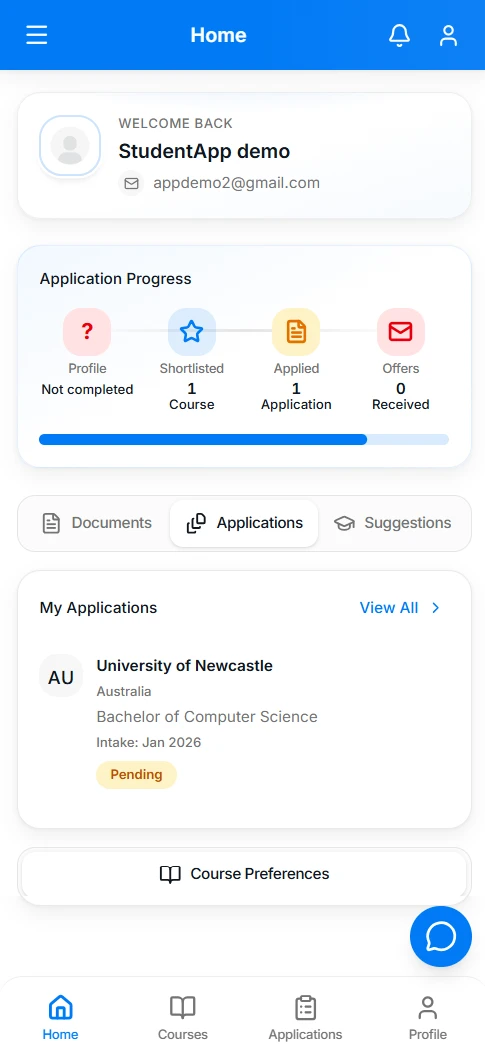
One home screen for the whole journey
After login, students land on Home. A progress path shows where they stand — profile, shortlisted courses, applications, and offers — with documents, applications, suggestions, and course preferences one tap away.
What students do in the app
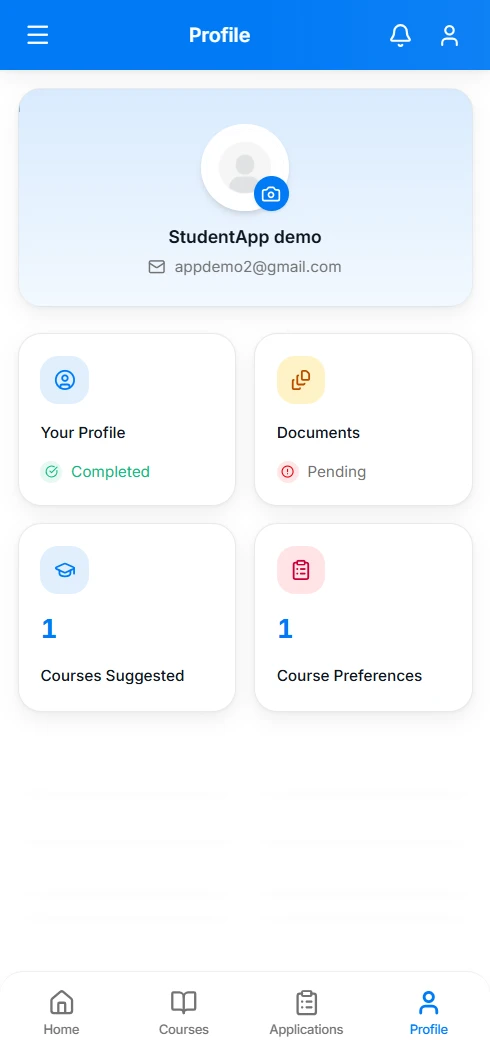
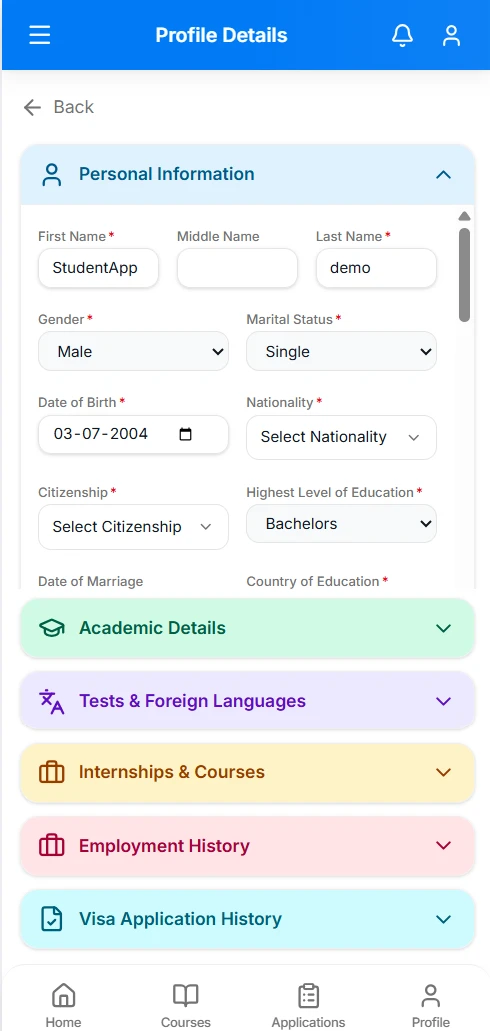
Profile
Students complete personal details, academics, tests and languages, internships, work, and travel history. A photo and a clear completed or pending status tell them what is still missing.
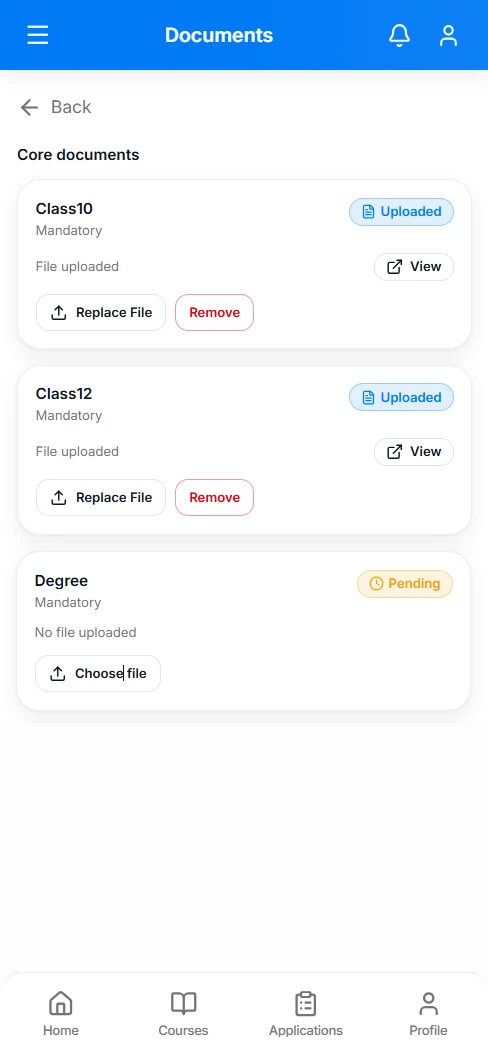
Documents
Upload, replace, or remove files from the phone. Each request shows its status — pending, uploaded, approved, or re-upload — so students know what the counsellor still needs.
Courses
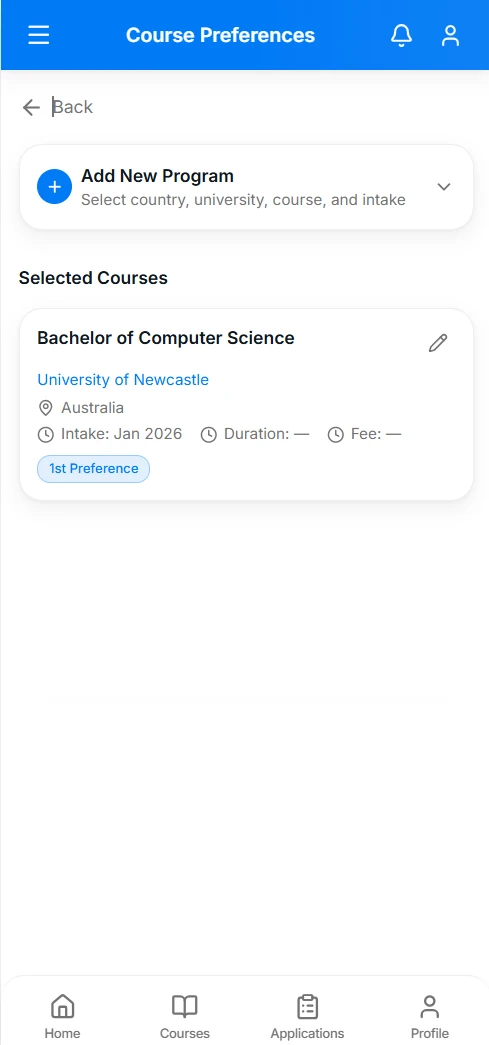
Search universities and courses by country, level, and intake. Review suggestions from the consultancy, then save programs as ranked preferences.
Applications
See each university, course, intake, and status. Open an application for document requests, messages with the team, and a timeline of what has happened.
Fees
Invoices show the amount, what is paid, and the balance due. Students can pay in the app and view or download the invoice.
Chat
Message the team about an application, a service, or general support. A chat button on Home opens the conversation without leaving the app.
The same record your team already uses
What a student updates in the app is the profile, documents, preferences, and applications in EduCtrl. Counsellors are not copying updates from WhatsApp into the CRM.
Notifications from the bell keep students posted on application updates, document review, and offers. Account settings cover password, email, and a light or dark appearance.
- Sign up or log in, then land on a home screen that shows progress, not a blank menu.
- Course finder, counsellor suggestions, and saved preferences live in one Courses area.
- Application details include requested documents and a message thread, so status questions do not start from zero.
- Fees, chat, and additional services are in the same app, tied to that student’s CRM record.
See the Student App
Put the student portal in their pocket
Enable the Student App for your EduCtrl consultancy and cut the back-and-forth on documents and application status.