
Student panel features
A self-service portal where students build their profile, upload documents, choose courses and follow every application, so your team spends less time chasing and answering the same questions.
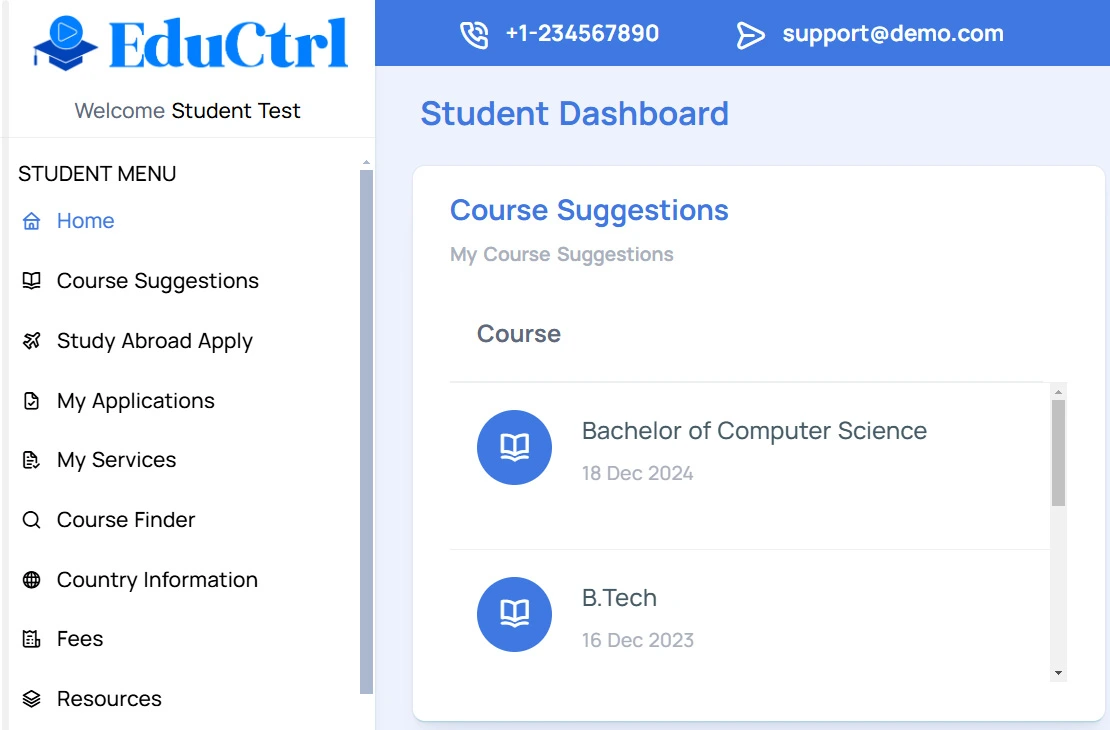
A clear path from sign-up to application
The student's Study Abroad dashboard walks them through each step in order, so they always know what to do next and arrive at counselling with a complete profile.
- Tell us about yourself
- Choose country and course
- Upload documents
- Profile evaluation and course suggestions
- SOP / motivation letter
- University applications
Students fill in their own details
Everything your counsellors need to evaluate a student arrives already typed in and uploaded, instead of over WhatsApp and email.
Quick sign-up
A short registration form gets students into their panel in under a minute. They can sign in again any time to pick up where they left off.
Complete profile
Personal details, academics from school to master's, English tests (IELTS, TOEFL, PTE, DET), language courses, GRE, GMAT and SAT scores, internships and work experience.
Document uploads
Upload certificates, mark sheets, English test results, CV, SOP, LOR, passport and experience letters. Required documents are flagged and files can be replaced any time.
Document requests
When staff need something for an application, it appears on the student's dashboard as a request with its status, ready to upload.
SOP and motivation letter
Upload a statement of purpose or motivation letter, and request a sample SOP from your team to get started.
Course preferences
Search your course database by country, university, course and intake, or add a program manually. Each preference shows who added it and when.
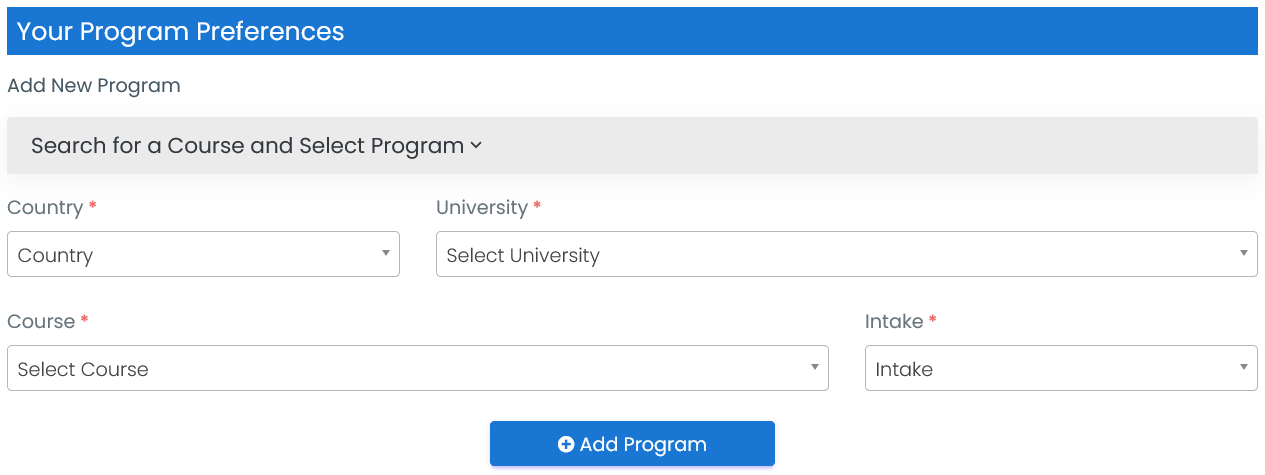
Students pick the programs they want
Preferences come straight from your own university and course data, so there are no typos and your team can apply right away.
- Choose country, university, course and intake from your data
- Add a program manually if it isn't listed yet
- Counsellors can add preferences on the student's behalf too
Students always know where they stand
Every update your team makes shows up in the student's panel straight away, which means fewer "any update?" calls and messages.
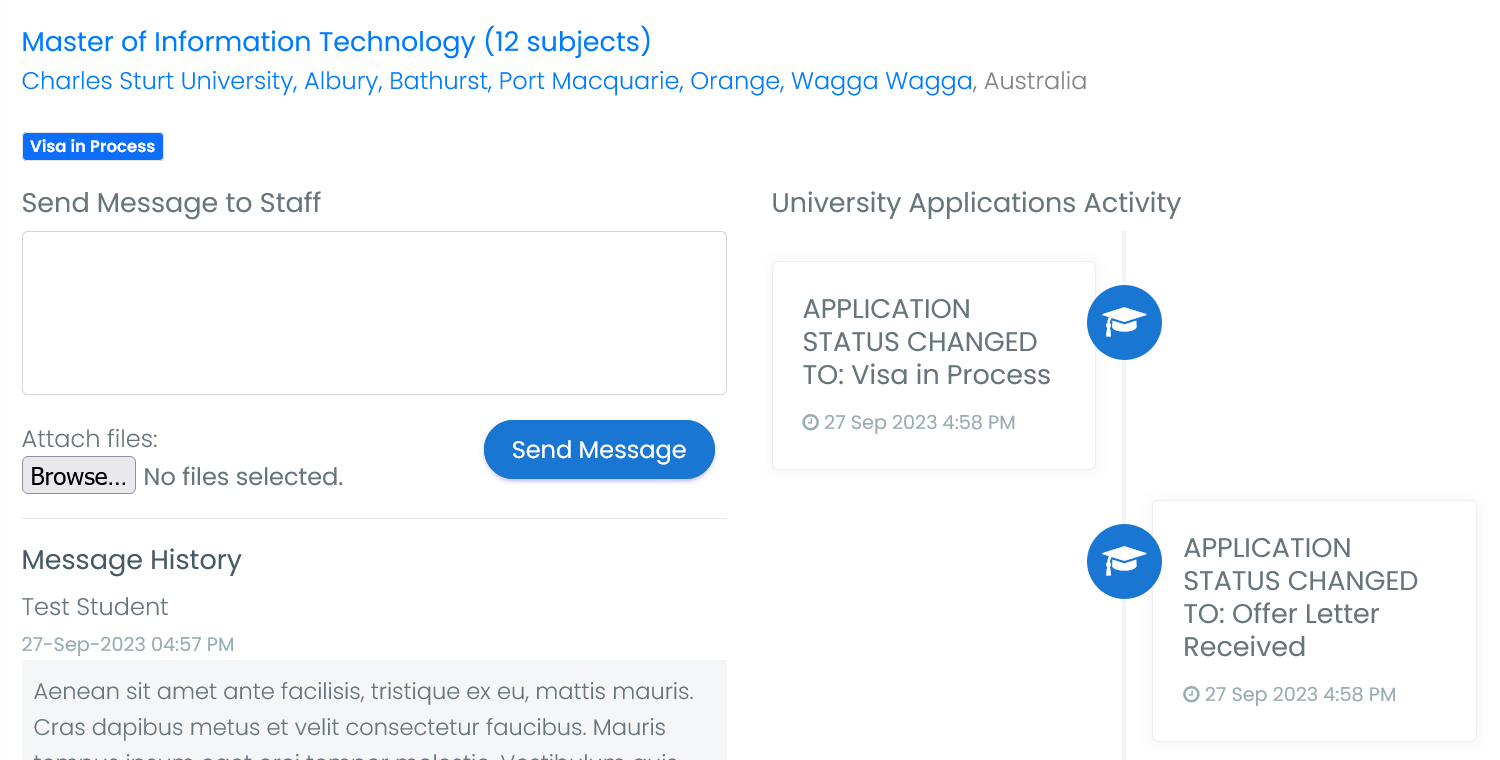
Live application status
Every university application shows its current stage, and a timeline records each change with the date and any notes from your team.
Milestones that matter
Students see offer letters, CAS, I-20, COE and visa progress as your team updates them, so they always know what's next.
Message the team
Send a message about a specific application and attach files. The full message history stays with that application.
My services New
Track visa and other service requests in one place, with each request's status, message thread, file attachments and activity log.
Live chat New
Chat with their counsellor in real time from anywhere in the panel, and keep separate conversations for each application and service.
Helpdesk tickets
Raise a support ticket for anything else, follow the replies and see when each ticket has been answered.
Help students choose with confidence
Students research courses and destinations on their own time, using information your team controls.
Course finder
Search courses by destination, study level, subject area, duration, annual tuition budget and intake month, sort the results, then apply in one click.
Course suggestions
Counsellors send course recommendations that students can open or download. Students say whether they're happy with each one, and staff are told if they aren't.
Country information
Guides on universities, costs, culture, scholarships and visa rules for each destination, published by your team.
Resources
Useful documents, audio and video files grouped into categories, ready to view or download.
Everything else in the student panel
Fees and invoices
Students see every invoice with the amount paid and the balance due, pay online and download a PDF copy.
Webinars and events
Upcoming webinars, events and announcements, with one-click registration.
Refer a friend
Every student gets a personal referral link to share. Successful referrals can earn a reward.
Multi-language panel
Students can switch the panel to English, French, Italian or Spanish.
Email notifications
Students are emailed when their application moves forward, a document is requested or a new course is suggested.
Student mobile app
Students can follow applications, upload documents and get notifications from their phone. Available as an add-on on the Enterprise plan.
Explore the app →Give your students a portal they'll actually use
Book a free demo and see the student panel with your own branding, courses and application stages.